
The newly released Cornerstone3D and its accompanying library, Cornerstone3DTools, provides a set of tools to modify segmentations of medical images viewed in web browsers. All of the segmentation tools can edit a segmentation in axial, coronal, and sagittal views. In this blog post, we’ll cover five of the new segmentation tools: brush tool, rectangle scissor tool, circle scissor tool, sphere scissor tool, and rectangle ROI threshold tool.
Basic Segmentation Tools
Brush Tool
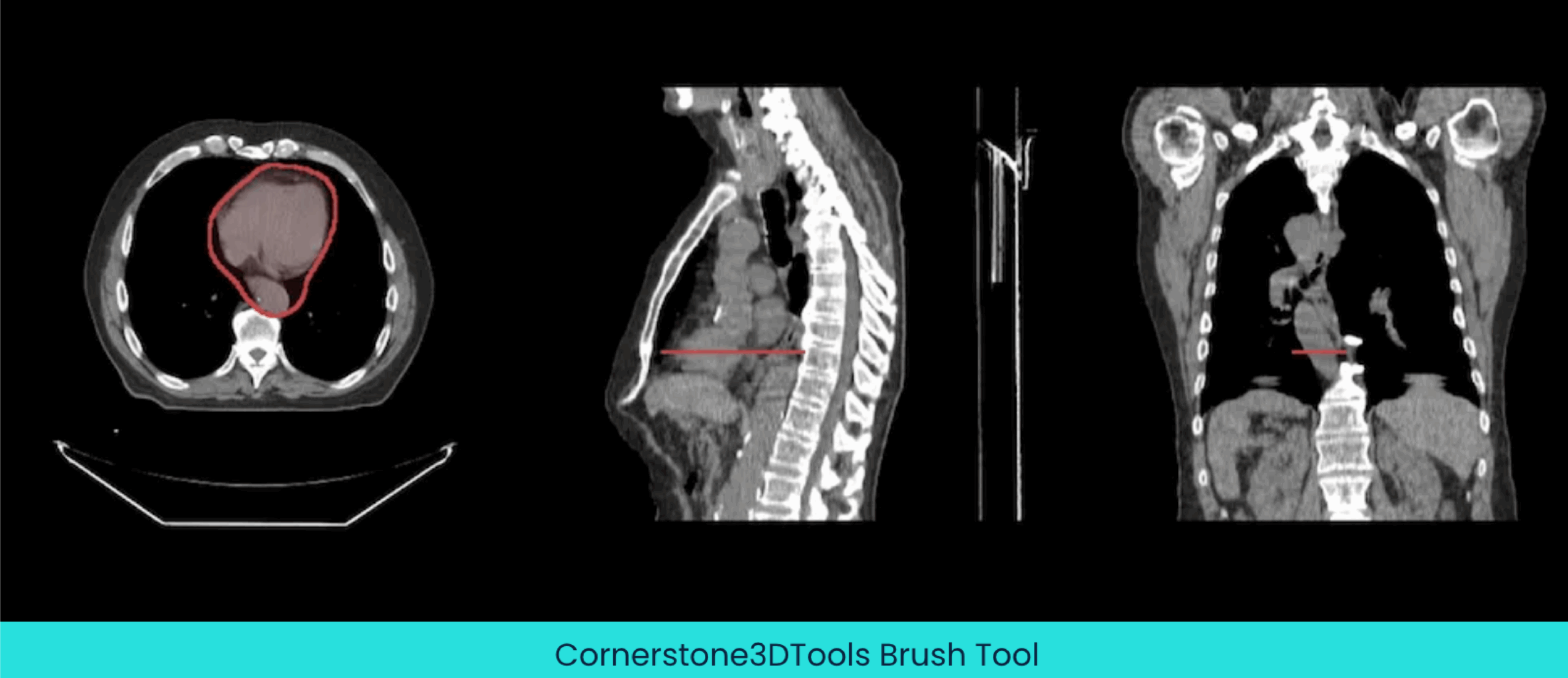
The brush tool is the most common tool used for segmentation. Using this tool, you can click and drag to draw segmentations.
Rectangle Scissor Tool
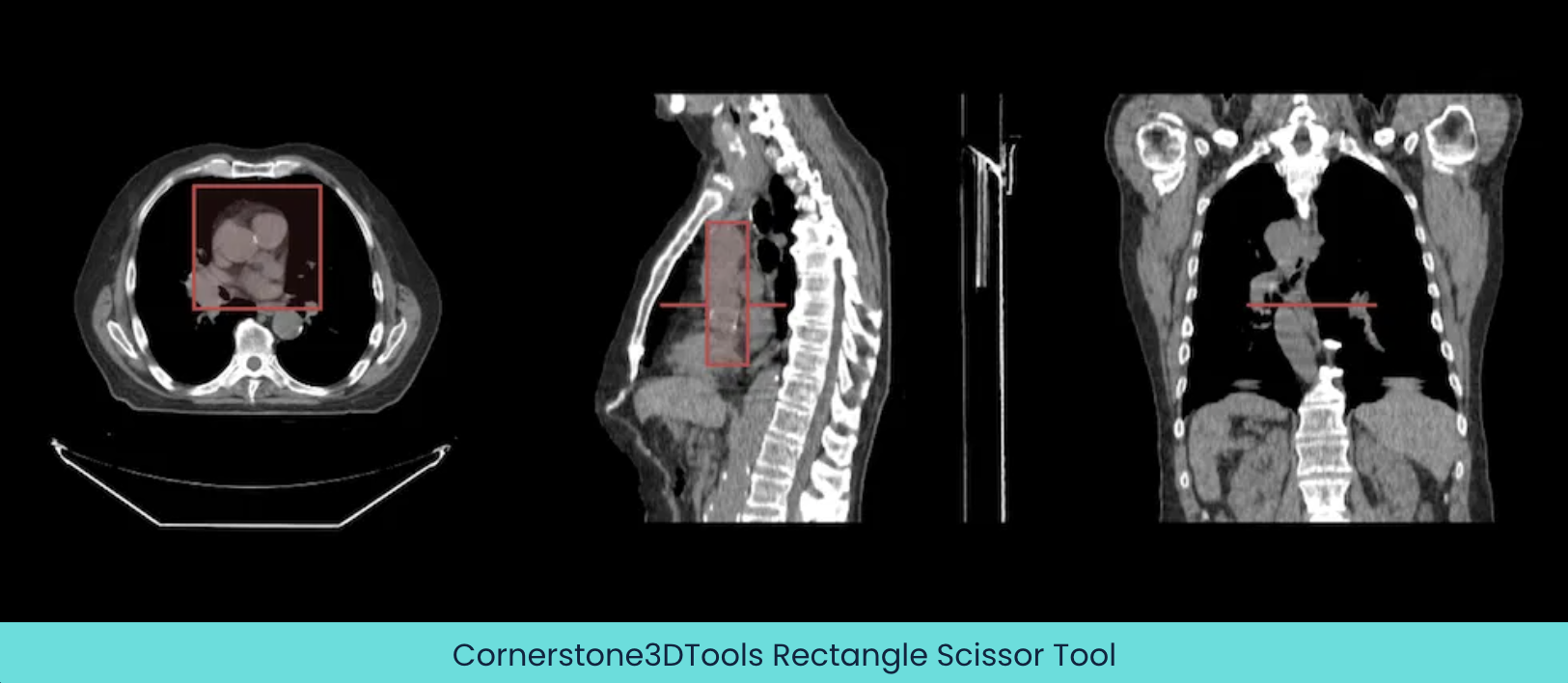
A rectangular segmentation can be created using the rectangle scissor tool.
Circle Scissor Tool
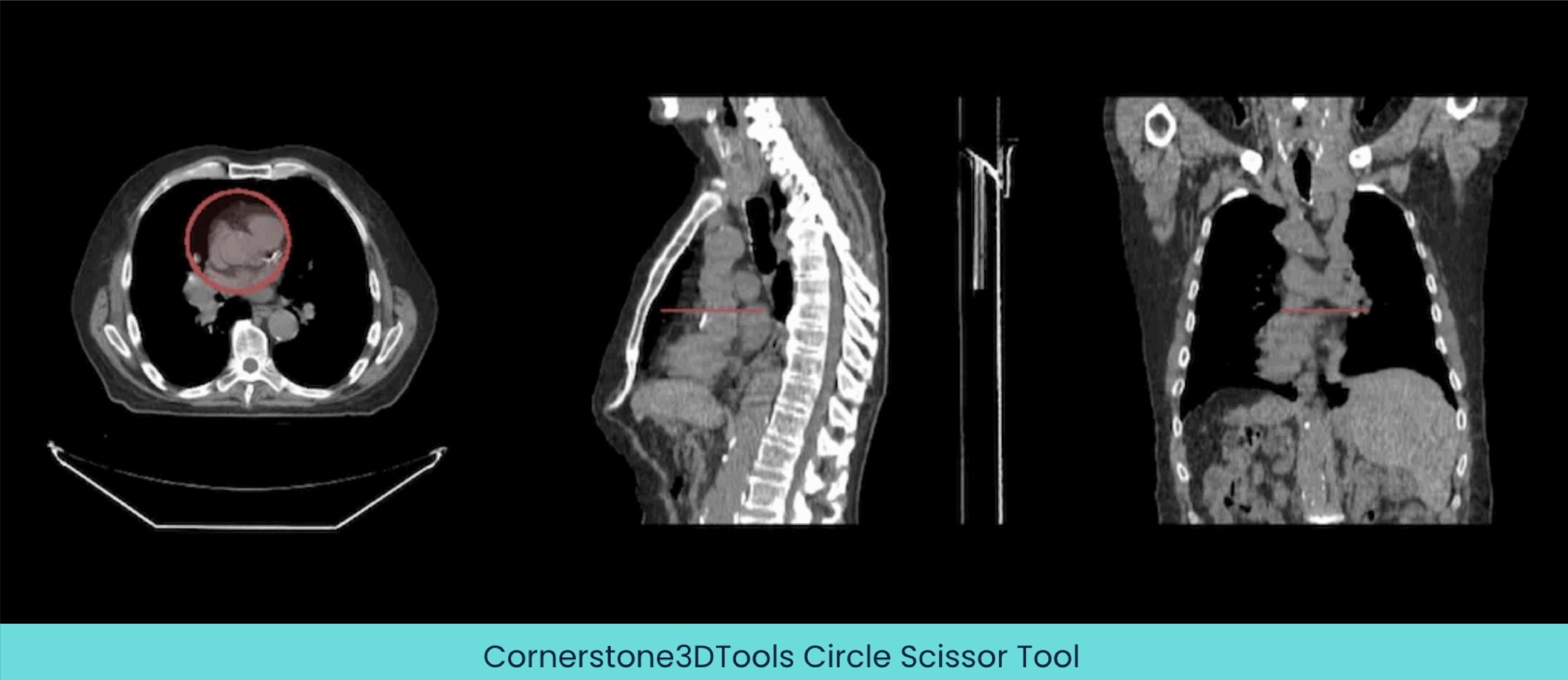
A circular segmentation can be created using the circle scissor tool.
Sphere Scissor Tool
A spherical segmentation can be created using the sphere scissor tool. When you click and drag your mouse, a 3D sphere is drawn around your mouse pointer.

Advanced Segmentation Tool
Rectangle ROI Threshold Tool
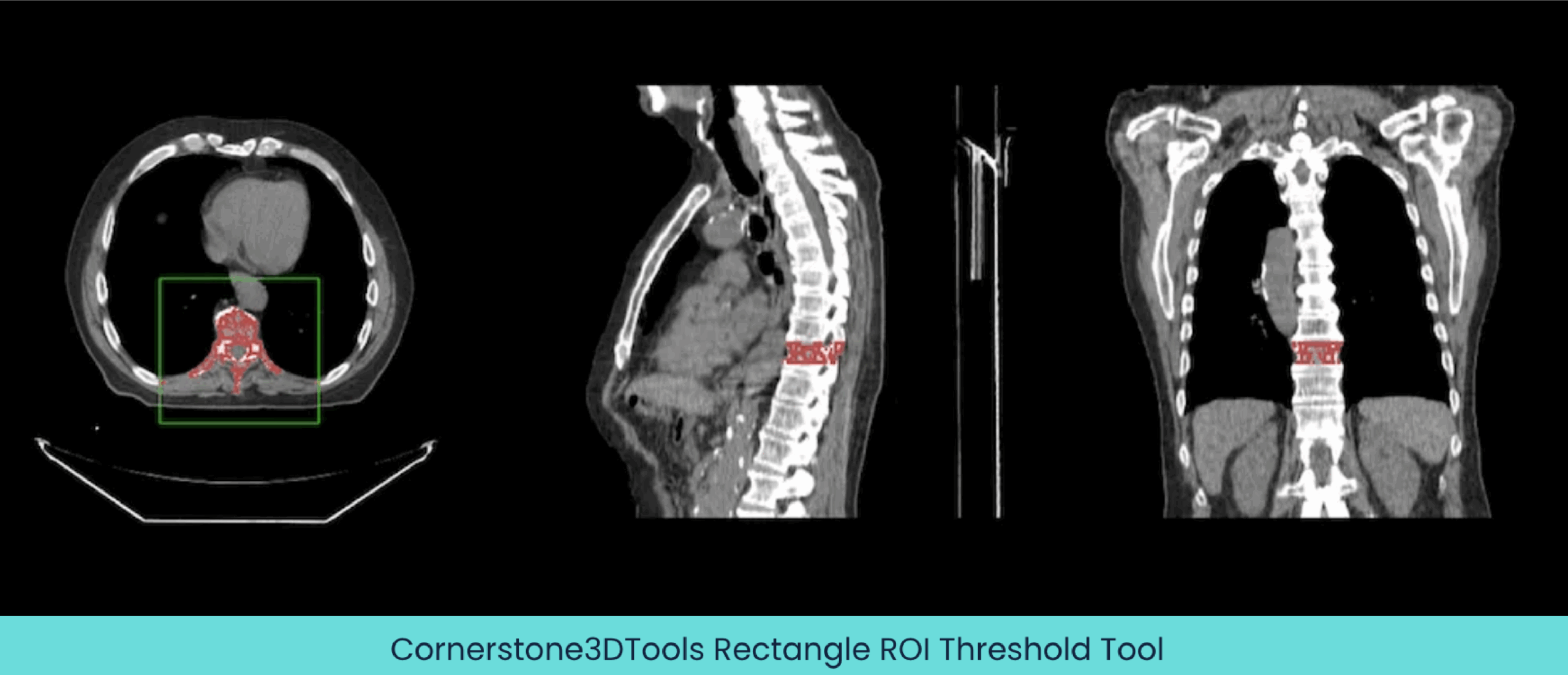
You can highlight an area in an image and a segmentation will be created by thresholding the area when using the rectangle ROI threshold tool.
Cornerstone3D Expertise
If any of these new segmentation tools pique your interest, Radical Imaging has experts that know how to create custom viewers, workflows, and tools using Cornerstone3D and Cornerstone3DTools. In collaboration with colleagues at Massachusetts General Hospital Department of Radiology, Radical actively develops and maintains both OHIF and Cornerstone. We have employed our expertise to help dozens of clients with their OHIF/Cornerstone projects. Get in touch with us here to learn more about our capabilities and tell us more about your project.
Reference:
Publish Date
Publish Date
The newly released Cornerstone3D and its accompanying library, Cornerstone3DTools, provides a set of tools to modify segmentations of medical images viewed in web browsers. All of the segmentation tools can edit a segmentation in axial, coronal, and sagittal views. In this blog post, we’ll cover five of the new segmentation tools: brush tool, rectangle scissor tool, circle scissor tool, sphere scissor tool, and rectangle ROI threshold tool.
Basic Segmentation Tools
Brush Tool
The brush tool is the most common tool used for segmentation. Using this tool, you can click and drag to draw segmentations.
Rectangle Scissor Tool
A rectangular segmentation can be created using the rectangle scissor tool.
Circle Scissor Tool
A circular segmentation can be created using the circle scissor tool.
Sphere Scissor Tool
A spherical segmentation can be created using the sphere scissor tool. When you click and drag your mouse, a 3D sphere is drawn around your mouse pointer.
Advanced Segmentation Tool
Rectangle ROI Threshold Tool
You can highlight an area in an image and a segmentation will be created by thresholding the area when using the rectangle ROI threshold tool.
Cornerstone3D Expertise
If any of these new segmentation tools pique your interest, Radical Imaging has experts that know how to create custom viewers, workflows, and tools using Cornerstone3D and Cornerstone3DTools. In collaboration with colleagues at Massachusetts General Hospital Department of Radiology, Radical actively develops and maintains both OHIF and Cornerstone. We have employed our expertise to help dozens of clients with their OHIF/Cornerstone projects. Get in touch with us here to learn more about our capabilities and tell us more about your project.